PowerPoint presentations are typically text-focused. It's a natural outcome from the standard bullet points in most slides. In contrast, images don't receive the appreciation that they deserve.
How can a presenter tell a story with images? Can images be used to advance the logic or the argument that the presenter is trying to make?
Images can be used in sequences to make powerful connections. These could be called visual analogies. An analogy occurs when two seemingly dissimilar things might have some common component or pattern. The insight: This is like that. A connection is made.
The following animated images make a visual analogy about sexual selection in evolutionary theory. The common example of extreme sexual selection is the male peacock's dramatic tail feather display. This is an evolutionary outcome from female peacock preferences towards dramatic displays. The example is intriguing, but it doesn't connect strongly with students.
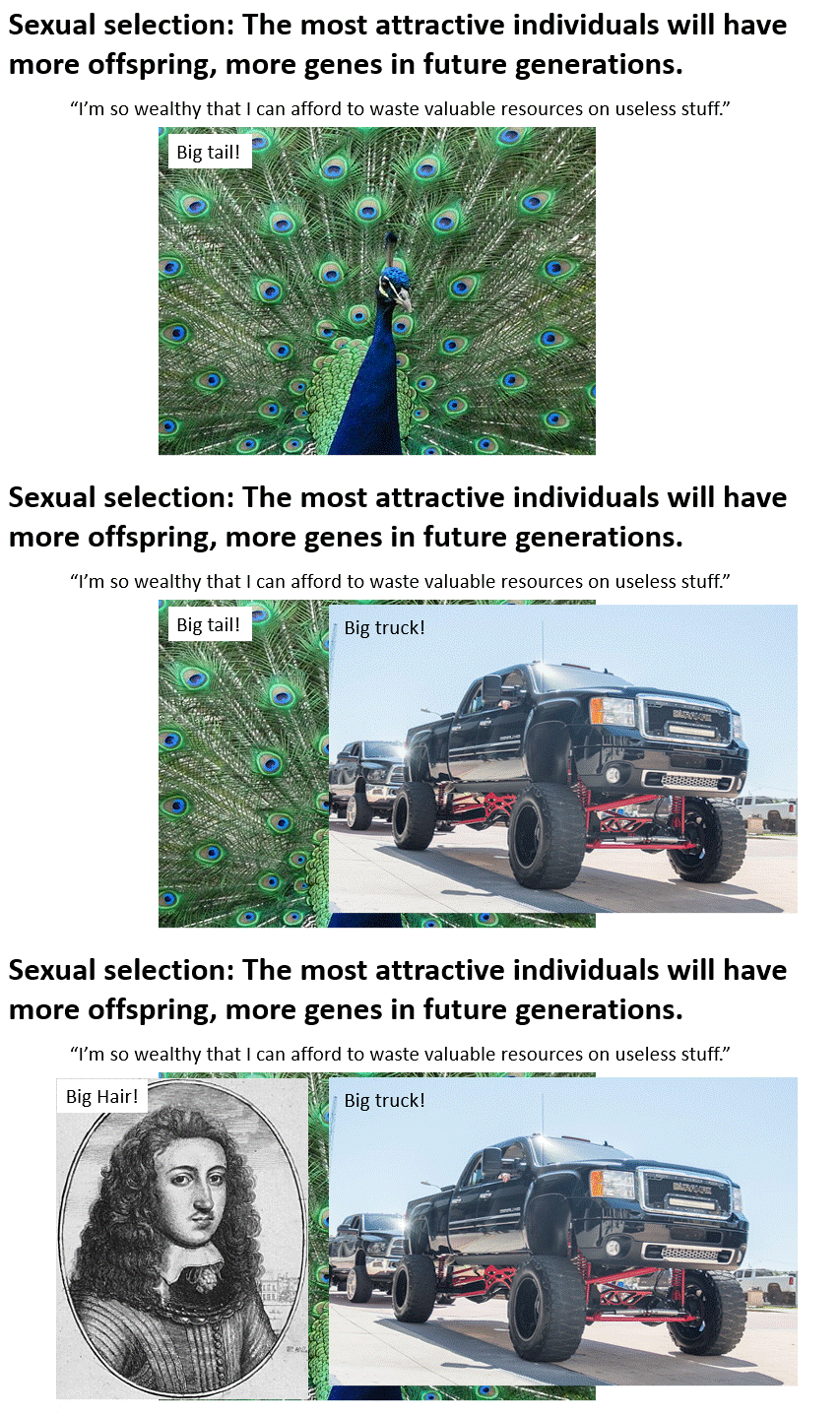
For bigger impact, a visual analogy is made between the birds and humans: big tails = big trucks = big hair. It's amusing, makes a point (by analogy), and stimulates discussion. The actual presentation is slower than this animated gif. There needs to be some build-up before revealing the truck and the big hair.
Visual analogies can be powerful. Try thinking of ways to make connections for your audiences through connected images.
The actual PowerPoint slide is available for download. This slide is freely licensed (Creative Commons). Sources and image credits are available in the "notes" section.